February 19, 2026
This week Fiveonefour ships a dedicated CLI for project onboarding, Vercel integration for automated deployments, and a 6x reduction in deployment startup times. On the Moose side, materialized views gain lifecycle management controls, external table mirroring simplifies local development against production data sources, and new documentation covers CDC workflows and externally managed tables.
Highlights
- New: Fiveonefour CLI with
setupandlinkcommands for project onboarding - New: Vercel integration for automated deployments and environment sync
- New: Materialized view lifecycle management with deletion protection
- Improved: Deployment startup times reduced from 20 to 3.5 minutes
Moose
New Features
Lifecycle management support for materialized views (@onelesd)
Materialized views now support lifecycle management with three options: FULLY_MANAGED (default — Moose manages creation, updates, and deletion), DELETION_PROTECTED (prevents accidental deletion and updates), and EXTERNALLY_MANAGED (user manages the view outside of Moose). This gives fine-grained control over how materialized views are managed in production environments.
import { MaterializedView, LifeCycle, Key, DateTime } from "@514labs/moose-lib";import { UserActivity } from "../ingest/models"; interface UserActivitySummary { userId: Key<string>; totalEvents: number; lastActivity: DateTime;} const userActivityTable = UserActivity.table!; // FULLY_MANAGED (default) - Moose handles everythingexport const userSummaryMV = new MaterializedView<UserActivitySummary>({ materializedViewName: "UserActivitySummary", targetTable: { name: "UserActivitySummaryTable", orderByFields: ["userId", "lastActivity"], }, selectStatement: ` SELECT userId, count() as totalEvents, max(timestamp) as lastActivity FROM \`${userActivityTable.name}\` GROUP BY userId `, selectTables: [userActivityTable], // lifeCycle defaults to FULLY_MANAGED // lifeCycle: LifeCycle.FULLY_MANAGED | LifeCycle.DELETION_PROTECTED | LifeCycle.EXTERNALLY_MANAGED});Docs: Materialized Views
External table mirroring in dev mode (@callicles)
Developers can now automatically create local mirror tables for externally managed tables during development. When enabled via create_local_mirrors = true in moose.config.toml, the dev server mirrors remote table schemas and optionally samples data to local ClickHouse, making it easier to develop and test against external data sources without direct access to production systems.
# moose.config.toml[project]name = "my-analytics-app" [dev.externally_managed.tables]# Enable automatic creation of local mirror tablescreate_local_mirrors = true # Number of sample rows to copy from remote tables (0 = schema only)sample_size = 1000 # Whether to refresh mirrors on startup (drop and recreate)refresh_on_startup = true # Optional: Remote ClickHouse connection for mirroring[dev.remote_clickhouse]host = "your-clickhouse-host.example.com"port = 8443database = "production_db"use_ssl = trueprotocol = "http"# Username and password stored securely via keyringDocs: CDC Managed Tables
Comprehensive documentation for externally managed tables and CDC (@callicles) Added extensive documentation for working with CDC-enabled ClickHouse databases and externally managed tables, including configuration options for local development mirrors, remote connections, and a complete guide for building on existing CDC pipelines like ClickPipes, PeerDB, and Debezium.
Docs: CDC Managed Tables
Merge table engine (@DatGuyJonathan)
OlapTable now supports ClickHouse's Merge engine, a read-only table engine that queries across multiple tables matching a regex pattern.
Docs: Merge Engine
Improvements
- MCP server improvements: Updated MCP SDK to v1.26.0 with improved tool registration API, and added bearer token authentication support for Claude Code connections. (@03cranec)
- Windows setup guide for WSL2 users: Added step-by-step instructions for setting up MooseStack on Windows using WSL2, Docker Desktop, and Node.js. (@oatsandsugar) Docs: Windows Setup
Bug Fixes
- Fix mobile menu overlay positioning: Fixed mobile menu positioning to properly overlay content instead of being positioned inline in the documentation site. (@georgevanderson)
Fiveonefour
New Features
Fiveonefour CLI with setup and link commands for project onboarding (@LucioFranco)
Introduced the new Fiveonefour CLI with comprehensive project setup capabilities. The 514 setup <org>/<project> command clones projects locally with optional branch creation and deployment setup. The 514 link command connects existing local repositories to Fiveonefour projects for streamlined deployment workflows. Both commands support authentication, interactive and non-interactive modes, and provide clear guidance for next steps.
# Clone and set up a new project from Fiveonefour
514 setup acme/analytics-api --path ./my-analytics-app --branch feature/new-dashboard

# The setup command automatically:
# - Clones the repository
# - Creates the specified branch
# - Links the repo to Fiveonefour project
# - Sets up deployment configuration

# Link an existing local repository to a Fiveonefour project
cd /path/to/existing/repo
514 link --project acme/marketing-dashboard --yes

# Or use interactive mode to select from available projects
514 link
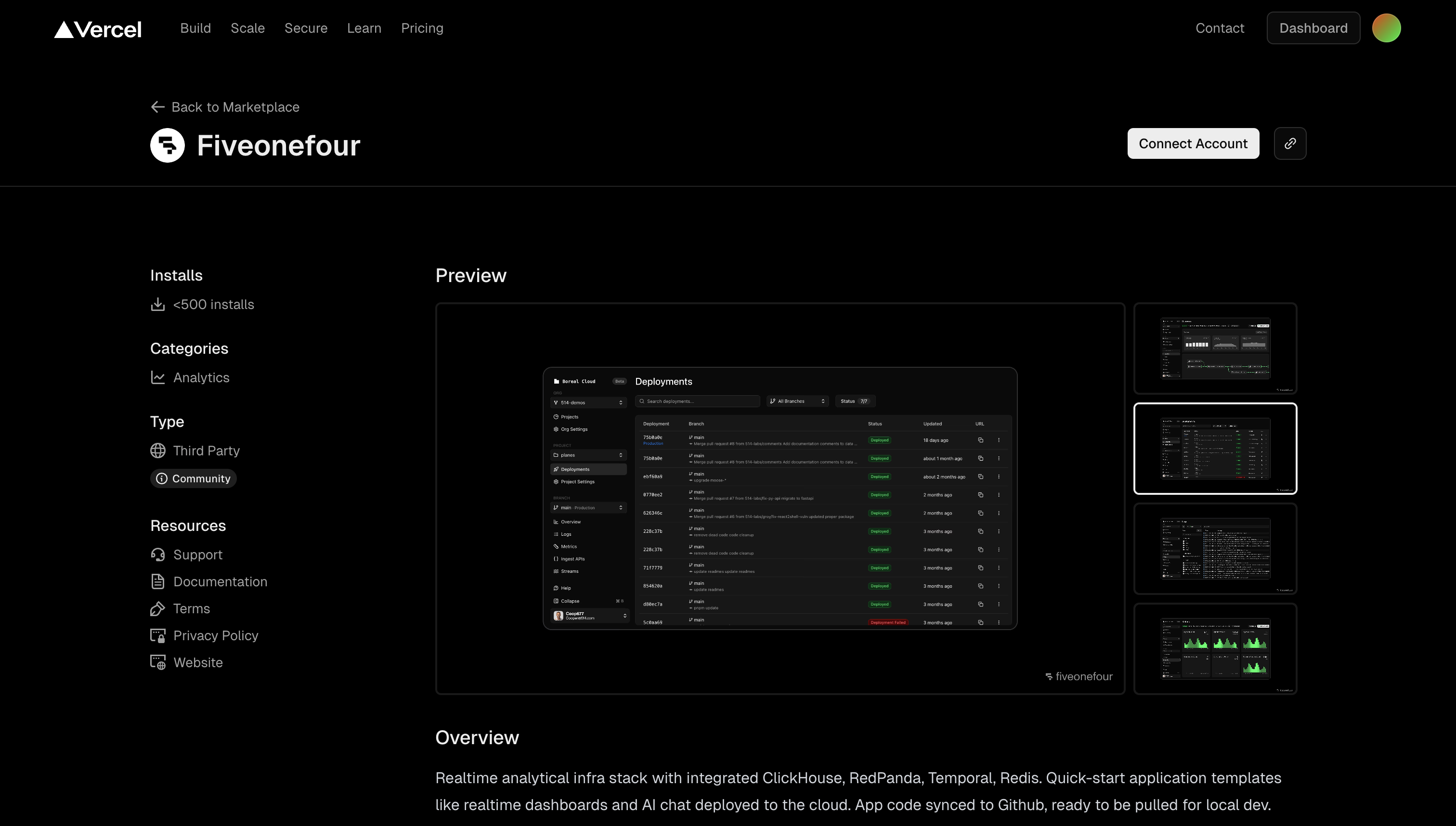
Vercel integration for automated deployments (@georgevanderson) Users can now connect their Vercel projects to Fiveonefour for automated deployments and environment variable synchronization. This integration allows teams to link their Vercel projects with their data applications, enabling seamless deployment workflows and automatic environment configuration management.
Improvements
- Faster template deployments using pre-built images: Template-based projects now deploy immediately using pre-built Docker images instead of waiting for the build process to complete, significantly reducing deployment time for new projects. (@jmsuzuki)
- Deploy branches on git push without requiring pull requests: Branch deployments can now be triggered by pushing to any branch in your repository, not just through pull request workflows. This enables faster iteration by automatically creating preview environments for feature branches. (@jmsuzuki)
- Start Developing and Lineage features now generally available: The "Start Developing" guided onboarding panel and lineage visualization are now available to all users without experimental flags. Both features appear in deployment details and branch navigation pages. (@groy-514)
Bug Fixes
- Fix duplicate deployments during template project creation: Fixed an issue where template projects would trigger duplicate deployments due to race conditions between project creation and push webhooks. (@onelesd)
- Fix logs with identical timestamps and content selecting together: Fixed an issue in the logs viewer where multiple log entries with the same timestamp and content would all be selected when clicking on one. (@LucioFranco)